
What makes us special
Understand what is happening in your company with realistic graphics and essential information.
FlexSim is a powerful simulation tool that allows you to visualize, analyze and test improvements in your logistics, material handling, manufacturing and more processes. Get essential information quickly and easily, without the high costs, risks or long times involved in experimenting in the real world with trial and error.
Simulate your plant with accuracy in just a couple of clicks.
FlexSim makes simulating your plant agile and simple by replicating your processes' base information to obtain an accurate analysis.
Simply use drag-and-drop controls to place objects and resources directly into the 3D environment, no post-processing needed!
Our 3-axis design and CAD drawing import help you maintain the exact spatial relationship in the real system, so travel and transport times will be accurate.
Import custom 3D objects to replicate the appearance of the real system. Additionally, all realistic visual effects like shadows and light effects are ready by default.
Use pre-designed tools to build models quickly and easily.
The Standard Object Library contains a variety of objects that can be used to build models immediately. Customization is simple, just choose pre-configured modes, mix-and-match options or even create your own configurations.
A wide range of pre-programmed lists and properties will allow you to quickly customize individual objects, triggers and system properties. Simply select an item or choose a "picklist" option and the resource will obtain the logic and behavior to emulate any real-world situation.
Get statistical information from your company.
Once you have your model ready and your plant simulated, use the full panel of resources for statistical analysis to gain a deeper understanding of your processes.
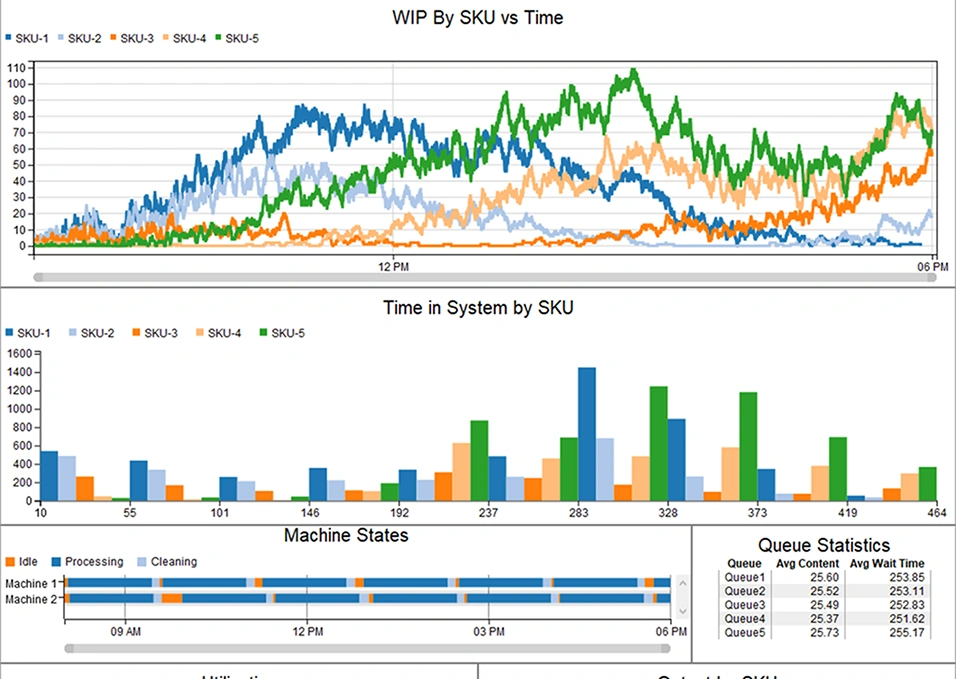
Simply use drag-and-drop controls to place objects and resources directly into the 3D environment, no post-processing needed!
Our 3-axis design and CAD drawing import help you maintain the exact spatial relationship in the real system, so travel and transport times will be accurate.
Import custom 3D objects to replicate the appearance of the real system. Additionally, all realistic visual effects like shadows and light effects are ready by default.
Compare different scenarios and find the best solution in the shortest time possible.
If you want to add optimization to your toolkit, FlexSim is fully integrated with the OptQuest unit. This powerful optimization scenarios package allows you to set variables and constraints in your model to evaluate hundreds of possible solutions. You can even design experiments with multiple objectives to consider competing forces in the system. Find the best possible solution for your process with FlexSim and OptQuest.
Use our powerful experimenter tool to test multiple scenarios and compare results. Replicas are distributed across your CPU cores, so hundreds of simulated replicas in different scenarios can be completed in minutes—not hours or days. The Experimenter also includes report generation and control over variables and performance measures.

Conoce información relevante sobre Flexsim para apoyar tu decisión
También te pueden interesar nuestas historias de éxito en los rubros de Manufactura, Logística y Servicios.
You may also be interested in our success stories in Manufacturing, Logistics, and Services.
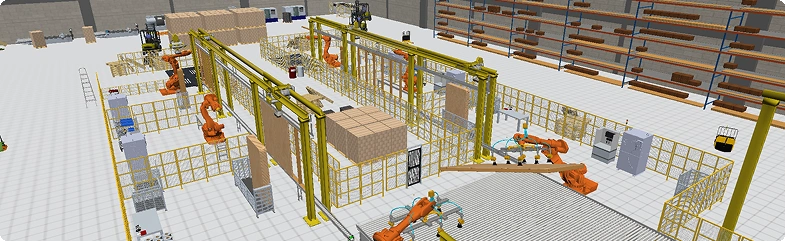
Production, assembly, inventory, line balancing, transportation, warehousing, logistics, and more.
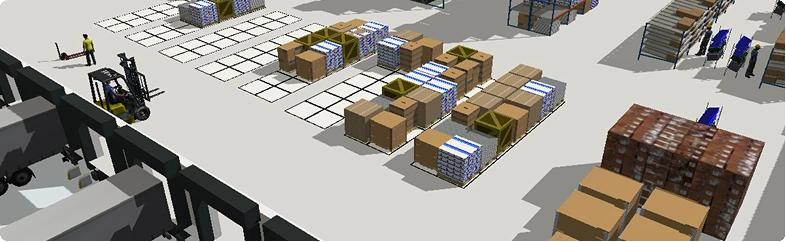
Storage systems, transportation, picking, material handling, cross-docking, packaging, and more.
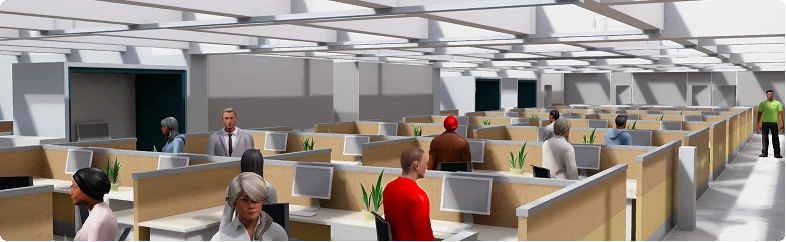
Customer service, administrative processes, point of sale, commercial processes, and more.